
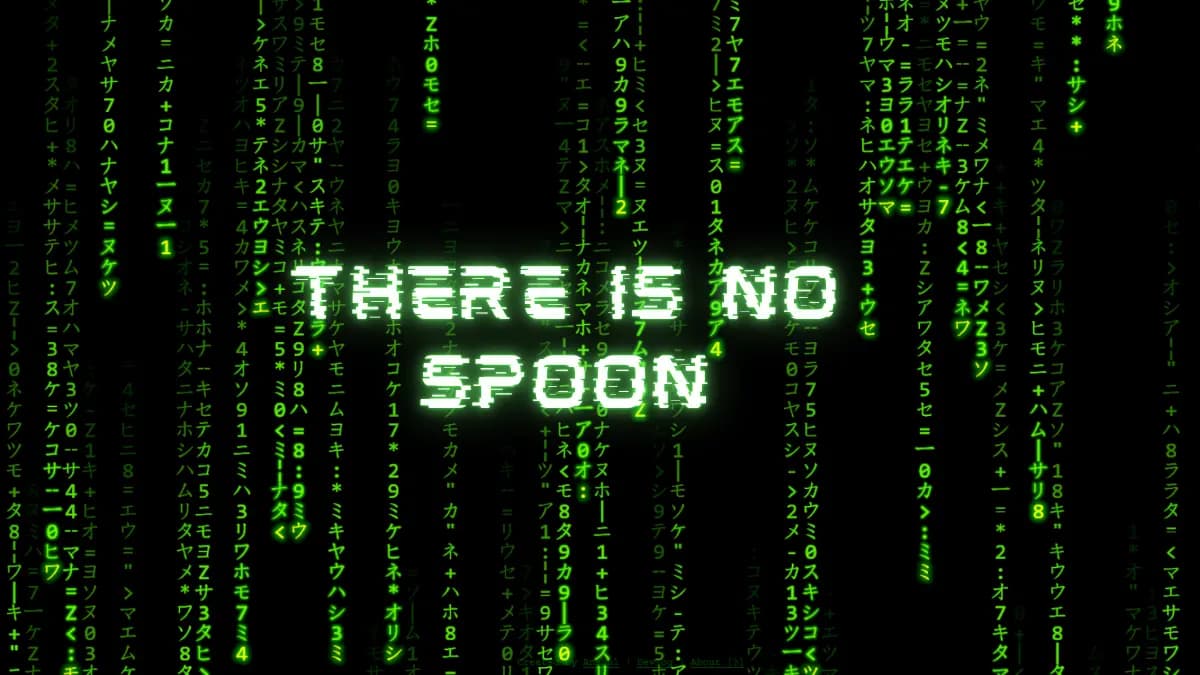
“What is real? How do you define real?” — Morpheus, The Matrix
An “almost” faithful reproduction of the iconic Matrix “code rain” built with vanilla JS and Three.js. AI used only for learning and scaffolding the project, rest of the code written manually. A passion project of mine that I wanted to do since I was 14. This devlog tracks my learning journey of building 3D visualizations as a means of creative expression using code.
Project Goals
- Stay true to original aesthetic as much as possible and only later experiment with new variations
- Highly performant across most modern desktop and mobile browsers. I would like to support 99% of the active browsers. Use GPU when available.
- Learn vector math, specially for 3D (I know, I know… 3blue1brown exists for a reason and there is AI. But still…)
- It has been solved (see rezmason), so I would like to give it a new twise at the end.
Tech Stack
- Three.js (r170+) - 3D rendering library
- Vite (8+) - Frontend tooling and development server
- Vanilla JS - Core logic implemented without frameworks like React or Vue
- Target: Most modern desktop and mobile browsers (Chrome, Firefox, Safari)
- Deployment: Static build suitable for GitHub Pages or Cloudflare Pages
Milestones
- Milestone 1: CanvasTexture 2D rain on a flat plane
- Milestone 2: InstancedMesh true 3D rain columns
- Milestone 3: Interaction and movement using a first-person WASD + mouse-look camera + Glich in the Matrix
- Milestone 4: Devanagari/Sanskrit character set (there is a Mahabharata concept I have in mind for Hindu Mythology, something the Wachowskis’ were fond of) ⏳ (In Progress)
- Milestone 5: “Ghost” image encoded in rain density and other use-cases for this.
Devlog
Milestone 3 - Flying through an Infinite Matrix
So yea, 3D is cool. But I want more! I want to fly through it, look around, explore, and it needs to be infinite. Now this is going to be a challenge on the performance. Not only I need to render thousands of characters, they can also “glitch” and change in their place, they have a diffent glow effect based on how they interact with a rain drop “trail”, and now they need to be infinite (or atleast look infitite).
Moving the camera based on WASD, and looking around using the mouse was relatively easy. Just took some three JS camera documentation and few google searches. I also made it to work on mobile and touch screens basis the modern mobile gaming control best practices. But the difficult part was generating an infinite scrolling rain and still keeping the performance smooth at 60 fps (I was already drawing ~2.5Mn triangles on to the GPU).
Some lengthy research and going into the rabbit hole of procedural generation (and Minecraft history!) I used a combination of three techniques: Sparse Instance Pool, Camera-Relative Spawning and Spatial Hashing.
- Sparse Instance Pool: I inverted the relationship between the camera and the grid. Instead of placing the camera inside a giant static grid of empty cells, we completely eliminate empty cells. We only allocate exactly enough instances in the
InstancedMeshfor the active characters in the trails (around 15,000 maximum). We completely eliminated the “empty space” matrix data. To maintain the illusion of a perfect grid, we mathematically snap the trail coordinates to an invisible world grid(Math.round(pos / SIZE) * SIZE). This requires far less memory and CPU/GPU bandwidth than managing millions of cells of empty space.
Dense Grid (previous version): If we build a grid that is 100 cells wide, 100 cells high, and 100 cells deep:
100 x 100 x 100 = 1,000,000total cells.- Each cell requires a 3D transformation matrix (16 numbers) to tell the GPU where it is.
1,000,000 x 16 floats x 4 bytes = ~64 Megabytesof data sent to the graphics card.- When moving fast, updating these matrices can drop the frame rate from 60 FPS down to a choppy 10 FPS.
Sparse Instance Pool (new version): Instead of a giant block, we only track the active characters currently falling in our matrix trails. If we have 500 trails, and each trail is 30 characters long:
500 x 30 = 15,000active cells.15,000 x 16 floats x 4 bytes = ~0.9 Megabytesof data.- This is a 98.5% reduction in memory and processing overhead. The game easily stays locked at 60+ FPS because the GPU is doing almost zero unnecessary work!
-
Camera-Relative Spawning (The Treadmill Effect) Instead of placing the Matrix rain in a fixed location in the world and moving the camera through it, I tie the boundaries of the rain to the camera itself. As you fly forward, the code checks the trails behind you. If a falling trail of characters falls completely behind the camera’s view (outside the “frustum”), the code deletes it from the back and instantly respawns it just out of sight in front of the camera. The trails are constantly recycling themselves around the camera, meaning you never need more than those 3,000 to 6000 active instances, no matter how far you fly.
-
Spatial Hashing (Keeping the Illusion stable) If trails are constantly teleporting around you, how do you make sure the matrix looks like a stable, infinite structure rather than a chaotic mess of random characters? Using a spatial hashing function, instead of randomly picking which character to display, the character is mathematically determined by its absolute (x, y, z) coordinate in the world. Example:
Character Index = Math.abs(Math.sin(x * 12.9898 + z * 78.233)) * charset.lengthBecause this math is deterministic, if you fly away from coordinate (10, 0, 50) and then turn around and fly back to it, the treadmill will respawn a trail there, and the Spatial Hash will guarantee it renders the exact same character that was there 5 minutes ago.
The result is a hyper-optimized, buttery smooth 6-DOF (Degrees of Freedom) flight experience. You can use WASD and the mouse to navigate freely in any direction, flying indefinitely through an endless ocean of Matrix code, while the engine technically only draws the small pocket of space you are currently looking at.
And I updated the character set to a more authentic one taken from the unofficial matrix glyph database
[Milestone 2] Enter a new dimension [3D Demo]
What’s better than 2D? real life Keanu Reeves, and also 3D. The whole reason for picking three js for this project was to build the matrix effect in 3D. So I moved from a PlaneGeometry in 2D to an InstancedMesh. InstancedMesh is a special object that allows you to draw the same geometry and material thousands of times with only one draw call. Using InstancedMesh, we can easily render a massive 3D grid of characters while keeping our frame rate a buttery smooth 60 FPS.
There’s a catch with InstancedMesh: all instances share the same material. But wait, we want different characters (and different trail glow opacities) on each plane! Our glyphs are stored in a Sprite Atlas (a big image containing all character variations). Usually, we’d adjust the UV mapping on the geometry to show a specific part of the atlas. But since geometry is shared, how do we give instances different UV offsets?
That’s where a bit of AI help on Perplexity came in handy. I have no idea about shaders, but I could still use one. Three.js materials (like MeshBasicMaterial) are built on underlying GLSL shaders. Material.onBeforeCompile gives us a hook to inject our own custom shader code right before Three.js sends it to the GPU. We create a custom buffer attribute (InstancedBufferAttribute) to hold our specific character index and trail index for each instance, and then we inject code into the vertex shader to slide the UVs around! By doing this, we keep all the nice built-in features of MeshBasicMaterial (like transparent blending) but gain the superpower of per-instance atlas lookups. We also implemented a discard logic in the fragment shader for any instance with a trail depth < 0, meaning the characters are completely invisible unless a rain drop trail passes over them!
Second, i decoupled the rain drops from the character grid in its independent Trail class. A Trail is just mathematical vector math floating in space. It doesn’t know about meshes or materials. In our main update loop, we move the logical trails. Then, we sample points along the length of each trail, figure out which 3D grid cell is closest to that point, and update that specific instance’s instanceUvInfo. This architecture allows us to easily change the direction of the rain (they don’t have to fall straight down!) and keep performance high (we only update the buffer attributes for instances that are actually illuminated). This separation of rain and character will be handly later when I will want to do some unique effects.
The number of triangles that are drawn balloned up from 2 in the 2D version, to an exponential 2.5 million. It still runs well on 60 fps, but it maybe due to my RTX 4070 8GB laptop GPU pulling through. I expect to hit performance issues soon as I move to make this 3D world infinitely navigable
[Milestone 1] Taking the Red Pill in 2D [2D demo]
I chose Three.js to learn 3D visualizations, but started with a 2D view with the camera fixed on z-axis looking towards a plane geometry. Three.js operates on a very specific hierarchy to render objects. To display our falling characters, we use a hidden HTML5 <canvas> element, which acts as the dynamic paintboard. That canvas is then fed into the Three.js pipeline:
We draw the Matrix rain onto the Canvas, pass it to a CanvasTexture, wrap that in a Material, and stretch it across a flat PlaneGeometry to create our final Mesh.
First I thought of dividing entire canvas into columns and keeping printing characters one below the other. But then I observed the code rain more closely and a realization dawned on me. The code is not “falling”, its always there. Space and Time is filled with code, everywhere, all at once, We just see a portion of it. In illuminated neon streaks of light falling from above, illuminating the code that appears as code rain.
“You think it is air that you’re breathing?” - Morpheus
Rendering text is expensive. Text effects even more
Everything was going fine at 60 FPS until I added shadow blur to the rendered characters to give it that bloom effect of an old CRT monitor. Turns out, rendering over a thousand text characters dynamically on a canvas every single frame is bad. But making them glow by calculating Gaussian blur for every single character, every single frame, is catastrophic. FPS dropped to 8!
A quick google search told me about a “Glyph Cache” (or Sprite Atlas). Instead of rendering and blurring text on the fly, the code now draws every character and its varying glow intensities into a hidden, off-screen canvas exactly once when the app loads. During the actual animation loop, I just use hardware-accelerated drawImage calls to copy those pre-rendered pixels directly onto the screen.
Here is how the performance trade-off looks for 1,200 characters on screen at a time:
| Metric | Direct Text Rendering (fillText + shadowBlur) | Glyph Caching (Sprite Atlas + drawImage) | Improvement |
|---|---|---|---|
| CPU Work / Frame | Very High (Rasterizing 1,200 vectors & Gaussian blurs) | Negligible (1,200 simple memory bit blit copies) | 100x Less CPU Load |
| VRAM Footprint | ~10 MB (Just the active canvas) | ~42 MB (Active canvas + Sprite Atlas cache) | Slightly Higher Memory |
| Frame Rate | 8 - 10 FPS | 60+ FPS (Locked) | ~600% Speedup |
By trading a tiny bit of VRAM to bypass the CPU’s text rendering engine, the app instantly locked in at a buttery smooth 60+ FPS.
How deep does this Optimization rabbit hole go?
I also went down the rabbit hole of memory optimization and googled for more ideas. Shaders seem like the ultimate optimized tool, but I don’t know how to build them (or if its an overkill for what I’m doing here). Another idea that came up was to store the grid of characters as 1D array, even if it is 2D on display (and 3D in the future). Javascript Arrays of Arrays are not true matrices: When you write const matrix = [[1, 2], [3, 4]], JS creates a parent array containing references to separate inner array objects. These inner arrays are scattered randomly across the heap memory.
So, I switched to a flat, 1D Uint16Array. It allocates as one contiguous block of memory, making it blazingly fast.
I just wrote some simple inline math functions (index = y * width + x) to map 2D coordinates back into that 1D space, giving me the readability of a 2D grid with the raw speed of 1D memory.
Decoupling Logic
Speaking of speed, I originally thought I’d need individual timers for every single cell to determine when a character should randomly flip to a new symbol. That sounded like a nightmare to manage. So I asked AI if there is a better solution and it did not disappoint. I discovered a neat probability trick. By taking the time elapsed since the last frame and dividing it by my target update interval, I get a global changeProbability. Now, I just loop over the grid and roll a single Math.random() < changeProbability for each cell. It creates the exact same visual flickering effect with almost zero overhead.
Finally, I decoupled the drawing logic from the characters themselves. The grid array doesn’t actually store Unicode strings anymore; it stores integer pointers that reference an active character set array. This means if I ever want to hot-swap the classic Matrix Katakana for, say, Norse Runes or binary code, I can do it instantly without touching the core rendering math.
Milestone 1 is in the bag. We’ve established a highly performant 2D canvas texture. Next up: 3D. Time to see how deep this rabbit hole really goes.